AR Events
The AR Events report allows users to view a list of activities for the reservation by date. Exporting the report enables users to download and view a summary or detailed version of the report in Excel. As a property manager, the user can use this information to view the events for the reservation. When a confirmation number is available, it’s linked to the reservation and opens in a separate tab when selected. It’s not available if it does not appear in the report.
Perform the following steps to generate the report:
Navigate to Reports ➜ All Reports ➜ AR Events (under Accounting).

Enter the accounts receivable number in the AR Number field for the event to include in the report.
Click Generate. The report with the selected data appears.
Click Print to send a copy of the report to the printer.
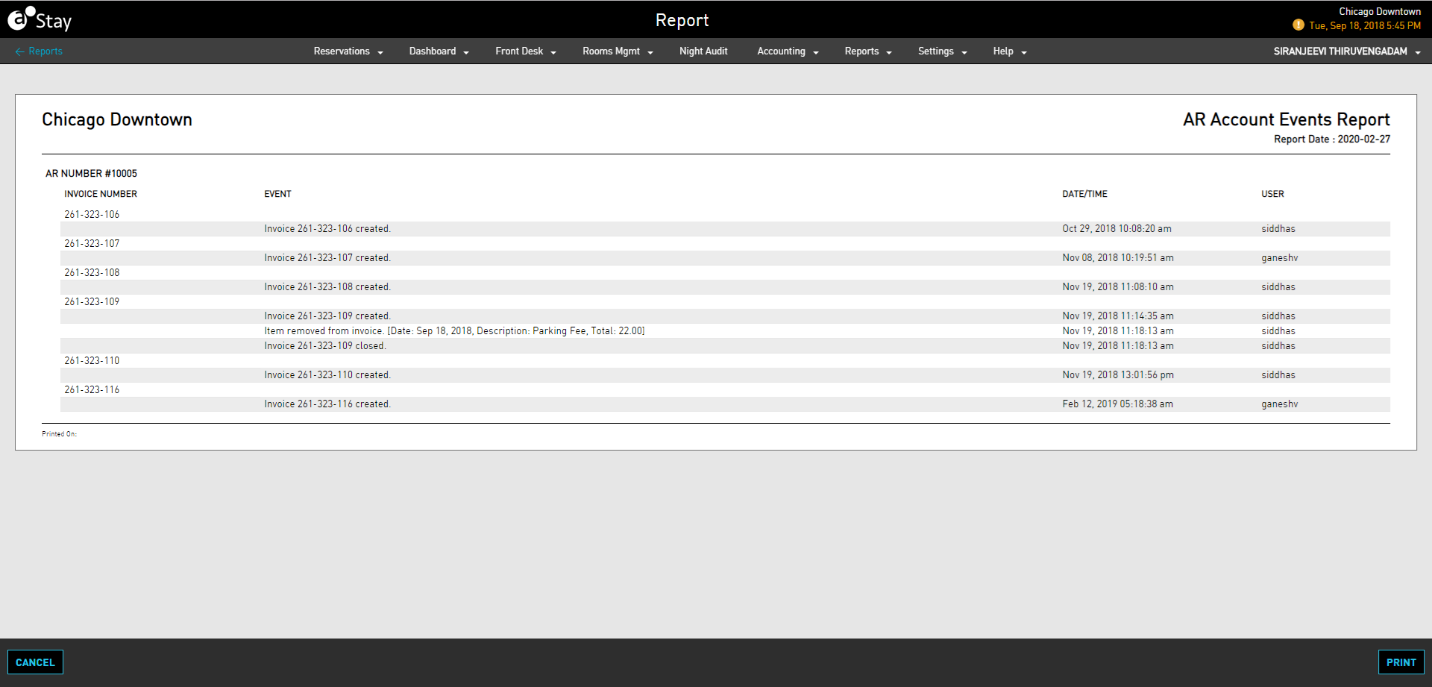
Sample Report
Report Parameters
This report displays the following parameters:
|
Field |
Description |
|---|---|
|
Invoice Number |
The number of the invoice. |
|
Event |
Activities with the reservation. |
|
Date/Time |
The date when the event took place. |
|
User |
The user who created the event. |